
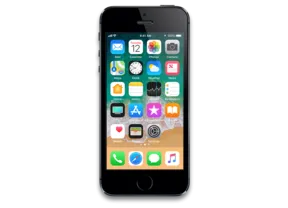
iPhone SE · iPhone8,4
iOS 13.5 (17F5054h) OTA update for iPhone SE
Apple no longer signs this version. You can download it for archival or research, but it cannot be installed normally. Latest signed: iOS 15.8.8.
Direct link from Apple · updates-http.cdn-apple.com
Firmware details
- Device
- iPhone SE
- Identifier
- iPhone8,4
- iOS version
- 13.5
- Build
- 17F5054h
- Released
- Uploaded
- April 26, 2020
- File size
- 2.72 GB
- File name
- e1ed784570773b595b001c4f5c5ec6e0b16327d4.zip
- Status
- Unsigned
iOS 13.5 release notes
Official release notes published by Apple.
iOS 13.5 speeds up access to the passcode field on devices with Face ID when you are wearing a face mask and introduces the Exposure Notification API to support COVID-19 contact tracing apps from public health authorities. This update also introduces an option to control automatic prominence of video tiles on Group FaceTime calls and includes bug fixes and other improvements.
Face ID and Passcode
- Simplified unlock process for devices with Face ID when you are wearing a face mask
- Passcode field automatically presented after swiping up from the bottom of the Lock screen when you are wearing a face mask
- Also works when authenticating with the App Store, Apple Books, Apple Pay, iTunes, and other apps that support signing in with Face ID
Exposure Notification
- Exposure Notification API to support COVID-19 contact tracing apps from public health authorities
FaceTime
- Option to control automatic prominence on Group FaceTime calls so video tiles do not change size when a participant speaks
Emergency Services
- Option to automatically share health and other essential information from your Medical ID with emergency services when you place an emergency call (US only)
This update also includes bug fixes and other improvements.
- Fixes an issue where users may see a black screen when trying to play streaming video from some websites
- Addresses an issue in the share sheet where suggestions and actions may not load
Some features may not be available for all regions or on all Apple devices. For information on the security content of Apple software updates, please visit this website: https://support.apple.com/kb/HT201222
How to install iOS 13.5 on iPhone SE
- Check the device runs a supported version and has enough free storage.
- For a regular update, simply use Settings → General → Software Update — the device downloads this same package.
- Advanced users can apply the ZIP manually with tools that support OTA packages. Only signed updates install.