
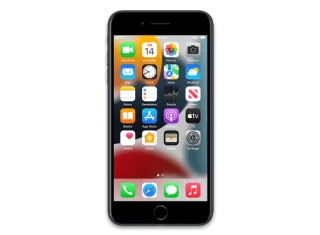
iPhone 7 Plus (Global) · iPhone9,2
iOS 13.3.1 (17D50) IPSW for iPhone 7 Plus (Global)
This firmware is not signed
Download IPSW · 3.90 GB
Apple no longer signs this version. You can download it for archival or research, but it cannot be installed normally. Latest signed: iOS 15.8.8.
Direct link from Apple · updates.cdn-apple.com
Advertisement
Firmware details
- Device
- iPhone 7 Plus (Global)
- Identifier
- iPhone9,2
- iOS version
- 13.3.1
- Build
- 17D50
- Released
- Uploaded
- January 22, 2020
- File size
- 3.90 GB
- File name
- iPhone_5.5_P3_13.3.1_17D50_Restore.ipsw
- SHA1
- 52df6abf22e27c9318be0f95229af2fbae70b649
- SHA256
- 157b0f93ffe03b457408a6c2149370a44bd5f7eb7db0ac2939f5b56b8382021a
- MD5
- f523700a1ddfd6baa800a34b0f32825f
- Status
- Unsigned
iOS 13.3.1 release notes
Official release notes published by Apple.
iOS 13.3.1 includes bug fixes and improvements. This update:
- Fixes an issue in Communication Limits that could allow a contact to be added without entering the Screen Time passcode
- Adds a setting to control the use of location services by the U1 Ultra Wideband chip
- Addresses an issue that could cause a momentary delay before editing a Deep Fusion photo taken on iPhone 11 or iPhone 11 Pro
- Resolves an issue with Mail that could cause remote images to load even when the “Load Remote Images” setting is disabled
- Fixes an issue that could cause multiple undo dialogs to appear in Mail
- Addresses an issue where FaceTime could use the rear facing ultra-wide camera instead of the wide camera
- Resolves an issue where push notifications could fail to be delivered over Wi-Fi
- Addresses a CarPlay issue that could cause distorted sound when making phone calls in certain vehicles
- Introduces support for Indian English Siri voices for HomePod
For information on the security content of Apple software updates, please visit this website:
Advertisement
How to install iOS 13.3.1 on iPhone 7 Plus (Global)
- Download the IPSW above and verify its SHA1 checksum.
- Connect your iPhone 7 Plus (Global) to a computer and open Finder (macOS Catalina or later) or iTunes (Windows).
- Hold Option (Mac) or Shift (Windows) and click Check for Update (keeps data) or Restore (erases the device).
- Select the downloaded .ipsw file and wait for the process to finish.
⚠️ Because this build is unsigned, Finder/iTunes will refuse to install it.
Frequently asked questions
Is iOS 13.3.1 still signed for iPhone 7 Plus (Global)?
No. Apple has stopped signing iOS 13.3.1 (17D50) for iPhone 7 Plus (Global). It cannot be restored normally; the newest signed version is iOS 15.8.8.
How big is the iOS 13.3.1 IPSW for iPhone 7 Plus (Global)?
The file is 3.90 GB (iPhone_5.5_P3_13.3.1_17D50_Restore.ipsw). It downloads straight from Apple's CDN (updates.cdn-apple.com).
When was iOS 13.3.1 released?
Apple released iOS 13.3.1 (17D50) on January 28, 2020.
How do I verify the IPSW download?
Compare the SHA1 checksum of the downloaded file with 52df6abf22e27c9318be0f95229af2fbae70b649. On macOS run
shasum iPhone_5.5_P3_13.3.1_17D50_Restore.ipsw, on Windows certutil -hashfile iPhone_5.5_P3_13.3.1_17D50_Restore.ipsw SHA1.Advertisement