
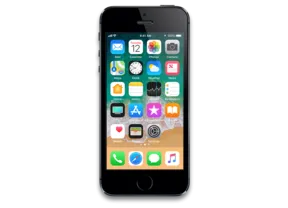
iPhone SE · iPhone8,4
iOS 10.1 (14B72) IPSW for iPhone SE
This firmware is not signed
Download IPSW · 2.16 GB
Apple no longer signs this version. You can download it for archival or research, but it cannot be installed normally. Latest signed: iOS 15.8.8.
Direct link from Apple · appldnld.apple.com
Advertisement
Firmware details
- Device
- iPhone SE
- Identifier
- iPhone8,4
- iOS version
- 10.1
- Build
- 14B72
- Released
- Uploaded
- October 15, 2016
- File size
- 2.16 GB
- File name
- iPhoneSE_10.1_14B72_Restore.ipsw
- SHA1
- 9357eac28187923ff262e1a81c38e3d00909a741
- SHA256
- 0950e76c1b664312b4b4e29e74d8d0055d8b810feef8b57cdbe576f6fc59499e
- MD5
- f272e947537a19a756ae9727355d7762
- Status
- Unsigned
iOS 10.1 release notes
Official release notes published by Apple.
Camera and Photos
- Introduces Portrait Camera for iPhone 7 Plus that creates a depth effect that keeps your subject sharp while creating a beautifully blurred background (beta)
- People names in the Photos app are saved in iCloud backups
- Improved the display of wide color gamut photos in the grid views of the Photos app
- Fixes an issue where opening the Camera app would show a blurred or flashing screen for some users
- Fixes an issue that caused Photos to quit for some users when turning on iCloud Photo Library
Maps
- Transit support for every major train, subway, ferry, and national bus line, as well as local bus systems for Tokyo, Osaka, and Nagoya
- Sign-based transit navigation including layouts of all underground structures and walkways that connect large transit stations
- Transit fare comparison when viewing alternative transit routes
Messages
- New option to replay bubble and full screen effects
- Messages effects can play with Reduce Motion enabled
- Fixes an issue that could lead to contact names appearing incorrectly in Messages
- Addresses an issue where Messages could open to a white screen
- Addresses an issue that could prevent the report junk option from displaying with unknown senders
- Fixes an issue where videos captured and sent in the Messages app could be missing audio
Apple Watch
- Adds distance and average pace to workout summaries in the Activity app for outdoor wheelchair run pace and outdoor wheelchair walk pace
- Fixes issues that may have prevented Music playlists from syncing to Apple Watch
- Addresses an issue that was preventing invitations and data to appear in Activity Sharing
- Fixes an issue that was allowing Activity Sharing to update over cellular when manually disabled
- Resolves an issue that was causing some third-party apps to crash when inputting text
Other improvements and fixes
- Improves Bluetooth connectivity with 3rd party accessories
- Improves AirPlay Mirroring performance when waking a device from sleep
- Fixes an issue where playback would not work for iTunes purchased content when the “Show iTunes Purchases” setting is turned off
- Fixes an issue where certain selfie apps and face filters used with the FaceTime HD Camera on iPhone 7 and iPhone 7 Plus did not display a live preview
- Fixes an issue in Health where individual strokes are converted to separate characters when using the Chinese handwriting keyboard
- Improves performance of sharing websites from Safari to Messages
- Fixes an issue in Safari that caused web previews in tab view to not display correctly
- Fixes an issue that caused certain Mail messages to be reformatted with very small text
- Fixes an issue that caused some HTML email to be formatted incorrectly
- Fixes an issue that in some cases caused the search field to disappear in Mail
- Fixes an issue that could prevent Today View Widgets from updating when launched
- Fixes an issue where Weather widget sometimes failed to load data
- Fixes an issue on iPhone 7 where Home Button click settings would not appear in search results
- Fixes an issue that prevented spam alert extensions from blocking calls
- Resolves an issue that could prevent alarm sounds from going off
- Fixes an issue where audio playback via Bluetooth would cause the Taptic engine to stop providing feedback for some users
- Resolves an issue preventing some users from restoring from iCloud Backup
For information on the security content of this update, please visit this website:
Advertisement
How to install iOS 10.1 on iPhone SE
- Download the IPSW above and verify its SHA1 checksum.
- Connect your iPhone SE to a computer and open Finder (macOS Catalina or later) or iTunes (Windows).
- Hold Option (Mac) or Shift (Windows) and click Check for Update (keeps data) or Restore (erases the device).
- Select the downloaded .ipsw file and wait for the process to finish.
⚠️ Because this build is unsigned, Finder/iTunes will refuse to install it.
Frequently asked questions
Is iOS 10.1 still signed for iPhone SE?
No. Apple has stopped signing iOS 10.1 (14B72) for iPhone SE. It cannot be restored normally; the newest signed version is iOS 15.8.8.
How big is the iOS 10.1 IPSW for iPhone SE?
The file is 2.16 GB (iPhoneSE_10.1_14B72_Restore.ipsw). It downloads straight from Apple's CDN (updates.cdn-apple.com).
When was iOS 10.1 released?
Apple released iOS 10.1 (14B72) on October 24, 2016.
How do I verify the IPSW download?
Compare the SHA1 checksum of the downloaded file with 9357eac28187923ff262e1a81c38e3d00909a741. On macOS run
shasum iPhoneSE_10.1_14B72_Restore.ipsw, on Windows certutil -hashfile iPhoneSE_10.1_14B72_Restore.ipsw SHA1.Advertisement