
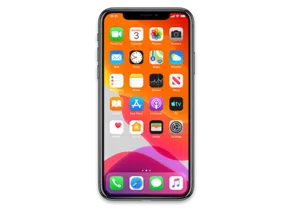
iPhone 11 Pro · iPhone12,3
iOS 17.5 (21F79) IPSW for iPhone 11 Pro
This firmware is not signed
Download IPSW · 7.12 GB
Apple no longer signs this version. You can download it for archival or research, but it cannot be installed normally. Latest signed: iOS 27.2.1.
Direct link from Apple · updates.cdn-apple.com
Advertisement
Firmware details
- Device
- iPhone 11 Pro
- Identifier
- iPhone12,3
- iOS version
- 17.5
- Build
- 21F79
- Released
- Uploaded
- May 5, 2024
- File size
- 7.12 GB
- File name
- iPhone12,3,iPhone12,5_17.5_21F79_Restore.ipsw
- SHA1
- 440138075e390b08f4c84764e02bf3ac4119e1d2
- SHA256
- 606f07a191b0936600a3909c1f68a50ef0325446b04fae812a6c765174bf6b82
- MD5
- 5f7974ca720ba7d07878d595acc11adb
- Status
- Unsigned
iOS 17.5 release notes
Official release notes published by Apple.
Emoji
- New mushroom, phoenix, lime, broken chain, and shaking heads emoji are now available in the emoji keyboard
- 18 people and body emoji add the option to face them in either direction
Apple Podcasts
- Transcripts let you follow an episode with text that highlights in sync with the audio in English, Spanish, French and German
- Episode text can be read in full, searched for a word or phrase, tapped to play from a specific point and used with accessibility features such as Text Size, Increase Contrast, and VoiceOver
This update includes the following enhancements and bug fixes:
- Music recognition lets you add songs you have identified to your Apple Music Playlists and Library, as well as Apple Music Classical
- Siri has a new option to announce messages you receive in any supported language
- Stolen Device Protection supports the option for increased security in all locations
- Battery Health in Settings shows battery cycle count, manufacture date, and first use on iPhone 15 and iPhone 15 Pro models
- Call Identification displays Apple-verified business name, logo, and department name when available
- Business updates in Messages for Business provide trusted information for order status, flight notifications, fraud alerts or other transactions you opt into
- Apple Cash virtual card numbers enable you to pay with Apple Cash at merchants that don’t yet accept Apple Pay by typing in your number from Wallet or using Safari AutoFill
- Fixes an issue where contact pictures are blank in Find My
- Fixes an issue for Dual SIM users where the phone number changes from primary to secondary and is visible to a group they have messaged
Some features may not be available for all regions or on all Apple devices. For information on the security content of Apple software updates, please visit this website:
Advertisement
How to install iOS 17.5 on iPhone 11 Pro
- Download the IPSW above and verify its SHA1 checksum.
- Connect your iPhone 11 Pro to a computer and open Finder (macOS Catalina or later) or iTunes (Windows).
- Hold Option (Mac) or Shift (Windows) and click Check for Update (keeps data) or Restore (erases the device).
- Select the downloaded .ipsw file and wait for the process to finish.
⚠️ Because this build is unsigned, Finder/iTunes will refuse to install it.
Frequently asked questions
Is iOS 17.5 still signed for iPhone 11 Pro?
No. Apple has stopped signing iOS 17.5 (21F79) for iPhone 11 Pro. It cannot be restored normally; the newest signed version is iOS 27.2.1.
How big is the iOS 17.5 IPSW for iPhone 11 Pro?
The file is 7.12 GB (iPhone12,3,iPhone12,5_17.5_21F79_Restore.ipsw). It downloads straight from Apple's CDN (updates.cdn-apple.com).
When was iOS 17.5 released?
Apple released iOS 17.5 (21F79) on May 13, 2024.
How do I verify the IPSW download?
Compare the SHA1 checksum of the downloaded file with 440138075e390b08f4c84764e02bf3ac4119e1d2. On macOS run
shasum iPhone12,3,iPhone12,5_17.5_21F79_Restore.ipsw, on Windows certutil -hashfile iPhone12,3,iPhone12,5_17.5_21F79_Restore.ipsw SHA1.Advertisement