
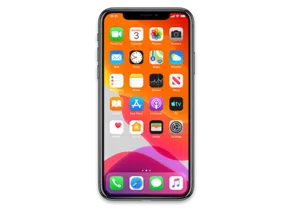
iPhone 11 Pro · iPhone12,3
iOS 15.3 (19D50) IPSW for iPhone 11 Pro
This firmware is not signed
Download IPSW · 7.00 GB
Apple no longer signs this version. You can download it for archival or research, but it cannot be installed normally. Latest signed: iOS 27.2.1.
Direct link from Apple · updates.cdn-apple.com
Advertisement
Firmware details
- Device
- iPhone 11 Pro
- Identifier
- iPhone12,3
- iOS version
- 15.3
- Build
- 19D50
- Released
- Uploaded
- January 23, 2022
- File size
- 7.00 GB
- File name
- iPhone11,2,iPhone11,4,iPhone11,6,iPhone12,3,iPhone12,5_15.3_19D50_Restore.ipsw
- SHA1
- 44945660fa8c11f2a4144585cc3565a44ffe8a01
- SHA256
- 351691323d87ecaa6d7847baf5de0efccc7e33c32ea5380e3b7603823438d9ae
- MD5
- 76d9f73e8780ac9863e2d6bb38c29e63
- Status
- Unsigned
iOS 15.3 release notes
Official release notes published by Apple.
iOS 15.3 includes bug fixes and security updates for your iPhone and is recommended for all users.
For information on the security content of Apple software updates, please visit this website:
Advertisement
How to install iOS 15.3 on iPhone 11 Pro
- Download the IPSW above and verify its SHA1 checksum.
- Connect your iPhone 11 Pro to a computer and open Finder (macOS Catalina or later) or iTunes (Windows).
- Hold Option (Mac) or Shift (Windows) and click Check for Update (keeps data) or Restore (erases the device).
- Select the downloaded .ipsw file and wait for the process to finish.
⚠️ Because this build is unsigned, Finder/iTunes will refuse to install it.
Frequently asked questions
Is iOS 15.3 still signed for iPhone 11 Pro?
No. Apple has stopped signing iOS 15.3 (19D50) for iPhone 11 Pro. It cannot be restored normally; the newest signed version is iOS 27.2.1.
How big is the iOS 15.3 IPSW for iPhone 11 Pro?
The file is 7.00 GB (iPhone11,2,iPhone11,4,iPhone11,6,iPhone12,3,iPhone12,5_15.3_19D50_Restore.ipsw). It downloads straight from Apple's CDN (updates.cdn-apple.com).
When was iOS 15.3 released?
Apple released iOS 15.3 (19D50) on January 26, 2022.
How do I verify the IPSW download?
Compare the SHA1 checksum of the downloaded file with 44945660fa8c11f2a4144585cc3565a44ffe8a01. On macOS run
shasum iPhone11,2,iPhone11,4,iPhone11,6,iPhone12,3,iPhone12,5_15.3_19D50_Restore.ipsw, on Windows certutil -hashfile iPhone11,2,iPhone11,4,iPhone11,6,iPhone12,3,iPhone12,5_15.3_19D50_Restore.ipsw SHA1.Advertisement