
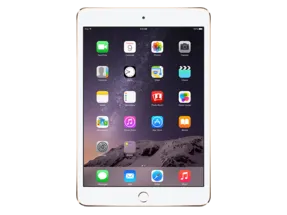
iPad mini 4 (Cellular) · iPad5,2
iOS 11.2 (15C114) IPSW for iPad mini 4 (Cellular)
This firmware is not signed
Download IPSW · 2.44 GB
Apple no longer signs this version. You can download it for archival or research, but it cannot be installed normally. Latest signed: iPadOS 15.8.8.
Direct link from Apple · appldnld.apple.com
Advertisement
Firmware details
- Device
- iPad mini 4 (Cellular)
- Identifier
- iPad5,2
- iOS version
- 11.2
- Build
- 15C114
- Released
- Uploaded
- November 30, 2017
- File size
- 2.44 GB
- File name
- iPad_64bit_TouchID_11.2_15C114_Restore.ipsw
- SHA1
- 3b14741b691d5e93feb022518121fc4afe9db1a8
- SHA256
- f719249fe3ca3d4d421eb47c19c4865895ff83ca58b10dd1914b720ea332b475
- MD5
- 55c9ccae9d8a312baf776625f18826df
- Status
- Unsigned
iOS 11.2 release notes
Official release notes published by Apple.
iOS 11.2 introduces Apple Pay Cash to send, request, and receive money from friends and family with Apple Pay. This update also includes bug fixes and improvements.
Apple Pay Cash (US Only)
- Send, request, and receive money from friends and family with Apple Pay in Messages or by asking Siri
Other improvements and fixes
- Adds support for faster wireless charging on iPhone 8, iPhone 8 Plus, and iPhone X with compatible third-party accessories
- Introduces three new Live wallpapers for iPhone X
- Improves video camera stabilization
- Adds support in Podcasts to automatically advance to the next episode from the same show
- Adds support in HealthKit for downhill snow sports distance as a data type
- Fixes an issue that could cause Mail to appear to be checking for new messages even when a download is complete
- Fixes an issue that could cause cleared Mail notifications from Exchange accounts to reappear
- Improves stability in Calendar
- Resolves an issue where Settings could open to a blank screen
- Fixes an issue that could prevent swiping to Today View or Camera from the Lock Screen
- Addresses an issue that could prevent Music controls from displaying on the Lock Screen
- Fixes an issue that could cause app icons to be arranged incorrectly on the Home Screen
- Addresses an issue that could prevent users from deleting recent photos when iCloud storage is exceeded
- Addresses an issue where Find My iPhone sometimes wouldn’t display a map
- Fixes an issue in Messages where the keyboard could overlap the most recent message
- Fixes an issue in Calculator where typing numbers rapidly could lead to incorrect results
- Addressed an issue where the keyboard could respond slowly
- Adds support for real-time text (RTT) phone calls for the deaf and hard of hearing
- Improves VoiceOver stability in Messages, Settings, App Store, and Music
- Resolves an issue that prevented VoiceOver from announcing incoming Notifications
For information on the security content of Apple software updates, please visit this website:
Advertisement
How to install iOS 11.2 on iPad mini 4 (Cellular)
- Download the IPSW above and verify its SHA1 checksum.
- Connect your iPad mini 4 (Cellular) to a computer and open Finder (macOS Catalina or later) or iTunes (Windows).
- Hold Option (Mac) or Shift (Windows) and click Check for Update (keeps data) or Restore (erases the device).
- Select the downloaded .ipsw file and wait for the process to finish.
⚠️ Because this build is unsigned, Finder/iTunes will refuse to install it.
Frequently asked questions
Is iOS 11.2 still signed for iPad mini 4 (Cellular)?
No. Apple has stopped signing iOS 11.2 (15C114) for iPad mini 4 (Cellular). It cannot be restored normally; the newest signed version is iPadOS 15.8.8.
How big is the iOS 11.2 IPSW for iPad mini 4 (Cellular)?
The file is 2.44 GB (iPad_64bit_TouchID_11.2_15C114_Restore.ipsw). It downloads straight from Apple's CDN (updates.cdn-apple.com).
When was iOS 11.2 released?
Apple released iOS 11.2 (15C114) on December 2, 2017.
How do I verify the IPSW download?
Compare the SHA1 checksum of the downloaded file with 3b14741b691d5e93feb022518121fc4afe9db1a8. On macOS run
shasum iPad_64bit_TouchID_11.2_15C114_Restore.ipsw, on Windows certutil -hashfile iPad_64bit_TouchID_11.2_15C114_Restore.ipsw SHA1.Advertisement