
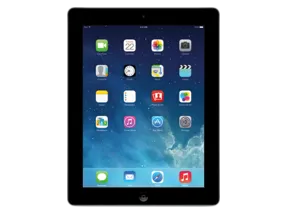
iPad 2 (Mid 2012) · iPad2,4
iOS 8.4 (12H143) IPSW for iPad 2 (Mid 2012)
This firmware is not signed
Download IPSW · 1.30 GB
Apple no longer signs this version. You can download it for archival or research, but it cannot be installed normally. Latest signed: iOS 9.3.5.
Direct link from Apple · secure-appldnld.apple.com
Advertisement
Firmware details
- Device
- iPad 2 (Mid 2012)
- Identifier
- iPad2,4
- iOS version
- 8.4
- Build
- 12H143
- Released
- Uploaded
- June 26, 2015
- File size
- 1.30 GB
- File name
- iPad2,4_8.4_12H143_Restore.ipsw
- SHA1
- e594a4f9570725457e543504ed818ac4513c44e3
- SHA256
- b7d32abd7cc55fa03107423883adf30d12274d26b910738ab0009c2d3201fbf9
- MD5
- 3c07bcde114a218341f20a4ddfe3764d
- Status
- Unsigned
iOS 8.4 release notes
Official release notes published by Apple.
This update introduces Apple Music—a revolutionary music service, 24/7 global radio, and a way for fans to connect with their favorite artists—all included in the redesigned Music app. iOS 8.4 also includes improvements for iBooks and bug fixes.
Apple Music
- Become an Apple Music member to play from millions of songs in the Apple Music catalog, or keep them offline for playback later
- For You: Members can see playlist and album recommendations, handpicked by music experts
- New: Members can find the latest, greatest new music available—direct from our editors
- Radio: Tune in to music, interviews, and exclusive radio shows on Beats 1, play radio stations created by our editors or create your own from any artist or song
- Connect: See shared thoughts, photos, music, and videos from artists you follow, then join the conversation
- My Music: Play from all of your iTunes purchases, songs from Apple Music, and playlists in one place
- Completely redesigned music player that includes new features such as Recently Added, MiniPlayer, Up Next, and more
- iTunes Store: Still the best place to buy your favorite music—one song or album at a time
- Availability and features may vary by country
iBooks improvements and fixes
- Browse, listen and download audiobooks from inside iBooks
- Enjoy the all-new Now Playing feature, designed specifically for audiobooks
- Books that are Made for iBooks now work on iPhone in addition to iPad
- Find and pre-order books in a series right from your library
- Improves accessibility of widgets, glossary and navigation in books made with iBooks Author
- New default Chinese font
- New setting to turn off Auto-Night theme in your library
- Resolves an issue that may have prevented Hide Purchases from working
- Resolves an issue that may have prevented downloading books from iCloud
Other improvements and bug fixes
- Fixes an issue where receiving a specific series of Unicode characters causes device to reboot
- Fixes an issue that prevented GPS accessories from providing location data
- Fixes an issue where deleted Apple Watch apps could re-install
For information on the security content of this update, please visit this website:
Advertisement
How to install iOS 8.4 on iPad 2 (Mid 2012)
- Download the IPSW above and verify its SHA1 checksum.
- Connect your iPad 2 (Mid 2012) to a computer and open Finder (macOS Catalina or later) or iTunes (Windows).
- Hold Option (Mac) or Shift (Windows) and click Check for Update (keeps data) or Restore (erases the device).
- Select the downloaded .ipsw file and wait for the process to finish.
⚠️ Because this build is unsigned, Finder/iTunes will refuse to install it.
Frequently asked questions
Is iOS 8.4 still signed for iPad 2 (Mid 2012)?
No. Apple has stopped signing iOS 8.4 (12H143) for iPad 2 (Mid 2012). It cannot be restored normally; the newest signed version is iOS 9.3.5.
How big is the iOS 8.4 IPSW for iPad 2 (Mid 2012)?
The file is 1.30 GB (iPad2,4_8.4_12H143_Restore.ipsw). It downloads straight from Apple's CDN (updates.cdn-apple.com).
When was iOS 8.4 released?
Apple released iOS 8.4 (12H143) on June 30, 2015.
How do I verify the IPSW download?
Compare the SHA1 checksum of the downloaded file with e594a4f9570725457e543504ed818ac4513c44e3. On macOS run
shasum iPad2,4_8.4_12H143_Restore.ipsw, on Windows certutil -hashfile iPad2,4_8.4_12H143_Restore.ipsw SHA1.Advertisement