
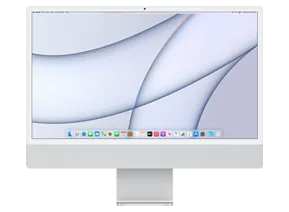
iMac 24-inch (M1, Two Ports, 2021) · iMac21,1
macOS 15.2 (24C101) IPSW for iMac 24-inch (M1, Two Ports, 2021)
This firmware is signed
Download IPSW · 15.40 GB
You can restore or update your iMac 24-inch (M1, Two Ports, 2021) to this version right now.
Direct link from Apple · updates.cdn-apple.com
Advertisement
Firmware details
- Identifier
- iMac21,1
- macOS version
- 15.2
- Build
- 24C101
- Released
- Uploaded
- December 8, 2024
- File size
- 15.40 GB
- File name
- UniversalMac_15.2_24C101_Restore.ipsw
- SHA1
- 2728cc52d32c9bfe6182833eab9720a928d3666a
- SHA256
- c083d0ed464e9c0d7de5fff03f63d4533f2105c23b9dcdb2303d3879329da521
- MD5
- 7de971a30edc6cec06c4dea75d8ef46f
- Status
- Signed
How to install macOS 15.2 on iMac 24-inch (M1, Two Ports, 2021)
- Download the IPSW above and verify its SHA1 checksum.
- Connect your iMac 24-inch (M1, Two Ports, 2021) to a computer and open Finder (macOS Catalina or later) or iTunes (Windows).
- Hold Option (Mac) or Shift (Windows) and click Check for Update (keeps data) or Restore (erases the device).
- Select the downloaded .ipsw file and wait for the process to finish.
⚠️ Back up your device before restoring.
Frequently asked questions
Is macOS 15.2 still signed for iMac 24-inch (M1, Two Ports, 2021)?
Yes. Apple is currently signing macOS 15.2 (24C101) for iMac 24-inch (M1, Two Ports, 2021), so you can install it with Finder, iTunes or 3uTools.
How big is the macOS 15.2 IPSW for iMac 24-inch (M1, Two Ports, 2021)?
The file is 15.40 GB (UniversalMac_15.2_24C101_Restore.ipsw). It downloads straight from Apple's CDN (updates.cdn-apple.com).
When was macOS 15.2 released?
Apple released macOS 15.2 (24C101) on December 11, 2024.
How do I verify the IPSW download?
Compare the SHA1 checksum of the downloaded file with 2728cc52d32c9bfe6182833eab9720a928d3666a. On macOS run
shasum UniversalMac_15.2_24C101_Restore.ipsw, on Windows certutil -hashfile UniversalMac_15.2_24C101_Restore.ipsw SHA1.Advertisement