
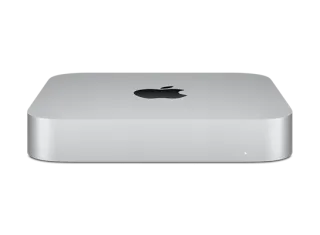
Mac mini (M2 Pro, 2023) · Mac14,12
macOS 15.2 (24C101) IPSW for Mac mini (M2 Pro, 2023)
This firmware is signed
Download IPSW · 15.40 GB
You can restore or update your Mac mini (M2 Pro, 2023) to this version right now.
Direct link from Apple · updates.cdn-apple.com
Advertisement
Firmware details
- Device
- Mac mini (M2 Pro, 2023)
- Identifier
- Mac14,12
- macOS version
- 15.2
- Build
- 24C101
- Released
- Uploaded
- December 8, 2024
- File size
- 15.40 GB
- File name
- UniversalMac_15.2_24C101_Restore.ipsw
- SHA1
- 2728cc52d32c9bfe6182833eab9720a928d3666a
- SHA256
- c083d0ed464e9c0d7de5fff03f63d4533f2105c23b9dcdb2303d3879329da521
- MD5
- 7de971a30edc6cec06c4dea75d8ef46f
- Status
- Signed
How to install macOS 15.2 on Mac mini (M2 Pro, 2023)
- Download the IPSW above and verify its SHA1 checksum.
- Connect your Mac mini (M2 Pro, 2023) to a computer and open Finder (macOS Catalina or later) or iTunes (Windows).
- Hold Option (Mac) or Shift (Windows) and click Check for Update (keeps data) or Restore (erases the device).
- Select the downloaded .ipsw file and wait for the process to finish.
⚠️ Back up your device before restoring.
Frequently asked questions
Is macOS 15.2 still signed for Mac mini (M2 Pro, 2023)?
Yes. Apple is currently signing macOS 15.2 (24C101) for Mac mini (M2 Pro, 2023), so you can install it with Finder, iTunes or 3uTools.
How big is the macOS 15.2 IPSW for Mac mini (M2 Pro, 2023)?
The file is 15.40 GB (UniversalMac_15.2_24C101_Restore.ipsw). It downloads straight from Apple's CDN (updates.cdn-apple.com).
When was macOS 15.2 released?
Apple released macOS 15.2 (24C101) on December 11, 2024.
How do I verify the IPSW download?
Compare the SHA1 checksum of the downloaded file with 2728cc52d32c9bfe6182833eab9720a928d3666a. On macOS run
shasum UniversalMac_15.2_24C101_Restore.ipsw, on Windows certutil -hashfile UniversalMac_15.2_24C101_Restore.ipsw SHA1.Advertisement